Raiseexamscores.com
Main Menu
Courses
Primary Maths
+
Primary Math – SOL Prep for Grades K–5
SOL Exams
+
Practice for the SOL Algebra Exam
Practice for the SOLS GEOMETRY Exam
Computer Programming - Math
+
Intro to Programming - Java/Python
Multi Round Math & Coding events
ACSL
+
Intermediate Division Theory & Coding - Contest Years 2001-02 to 2025-26
Junior Division Theory & Coding - Contest Years 2001-02 to 2025-26
Machine Learning
+
Medical Machine Learning
Steps to Create Your School
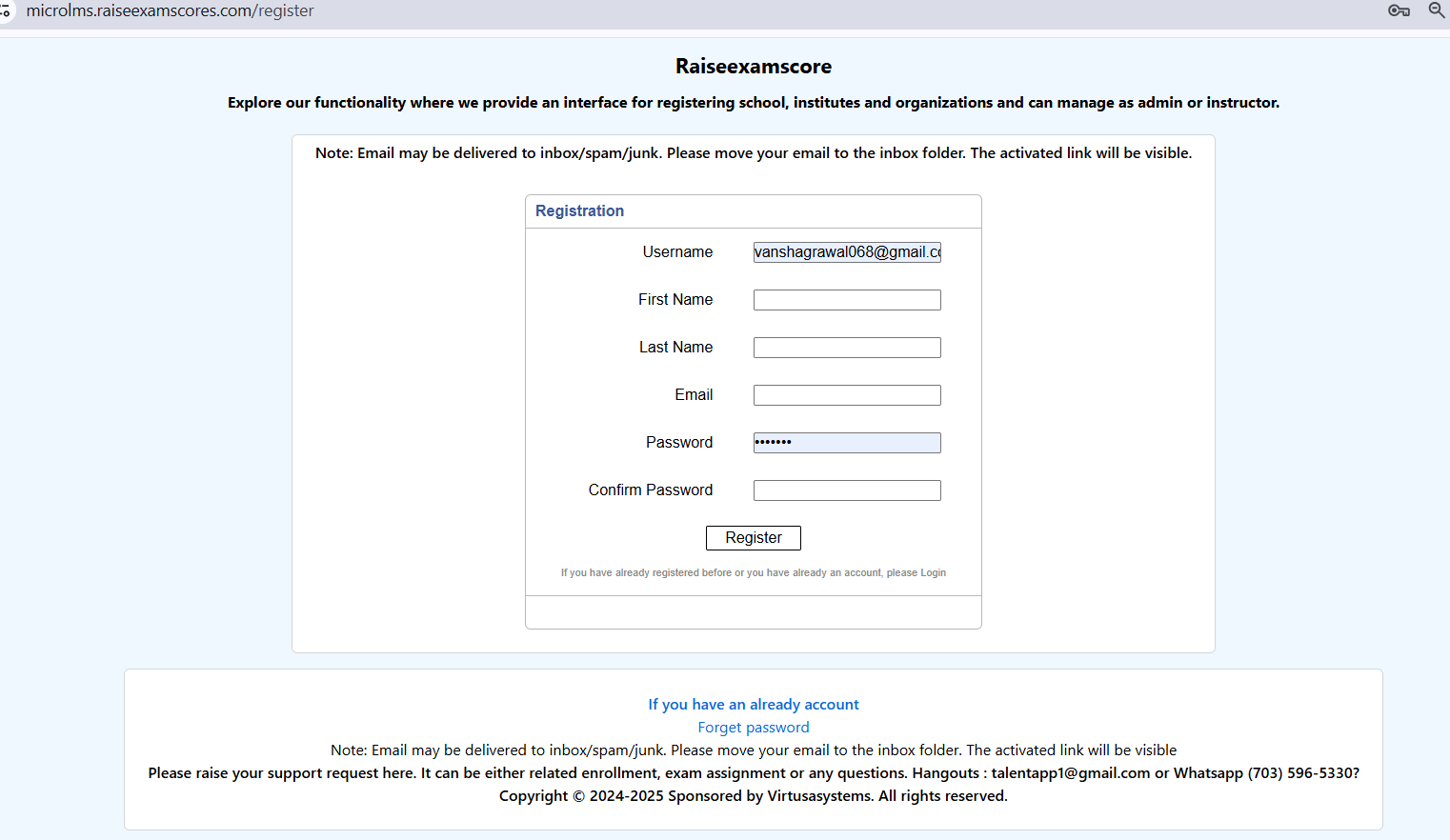
1. Go to our registration page by clicking
Register Now
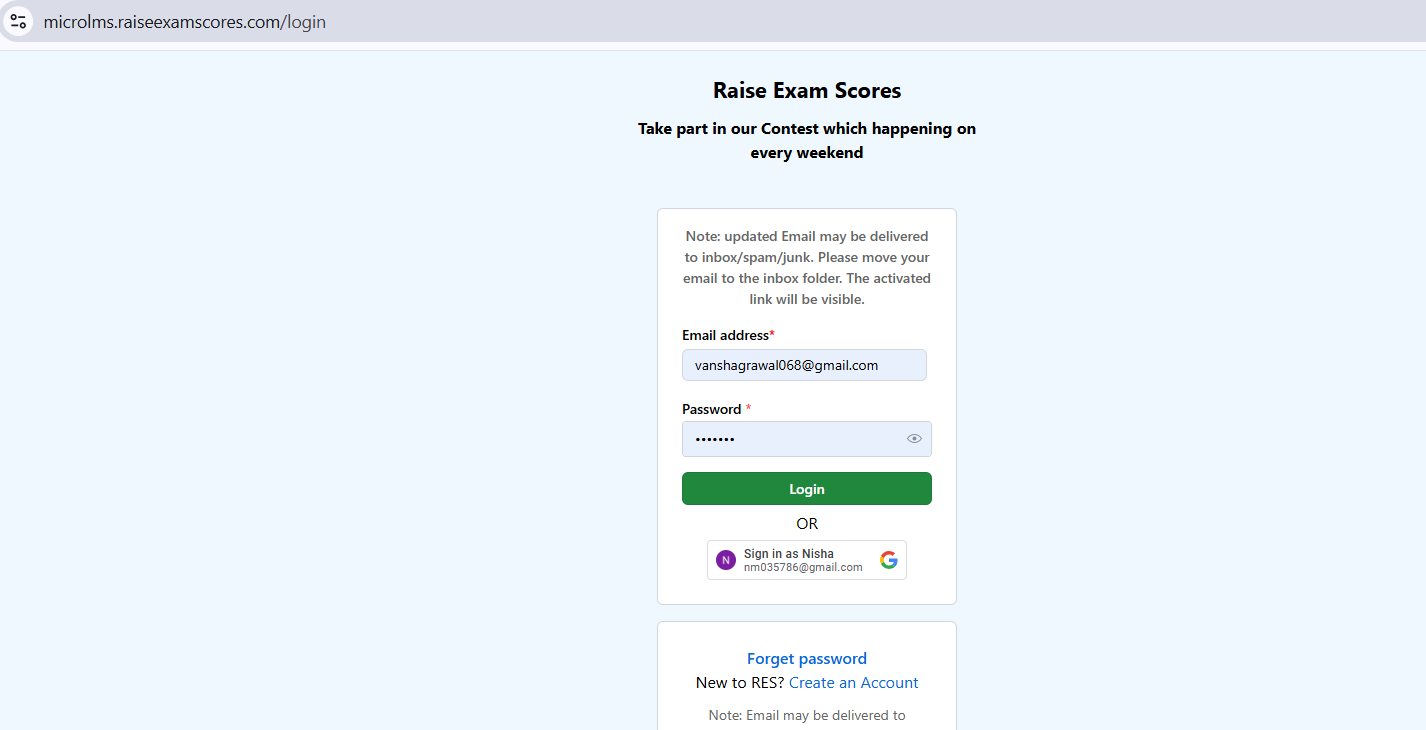
2. After doing the registration, log in to the website.
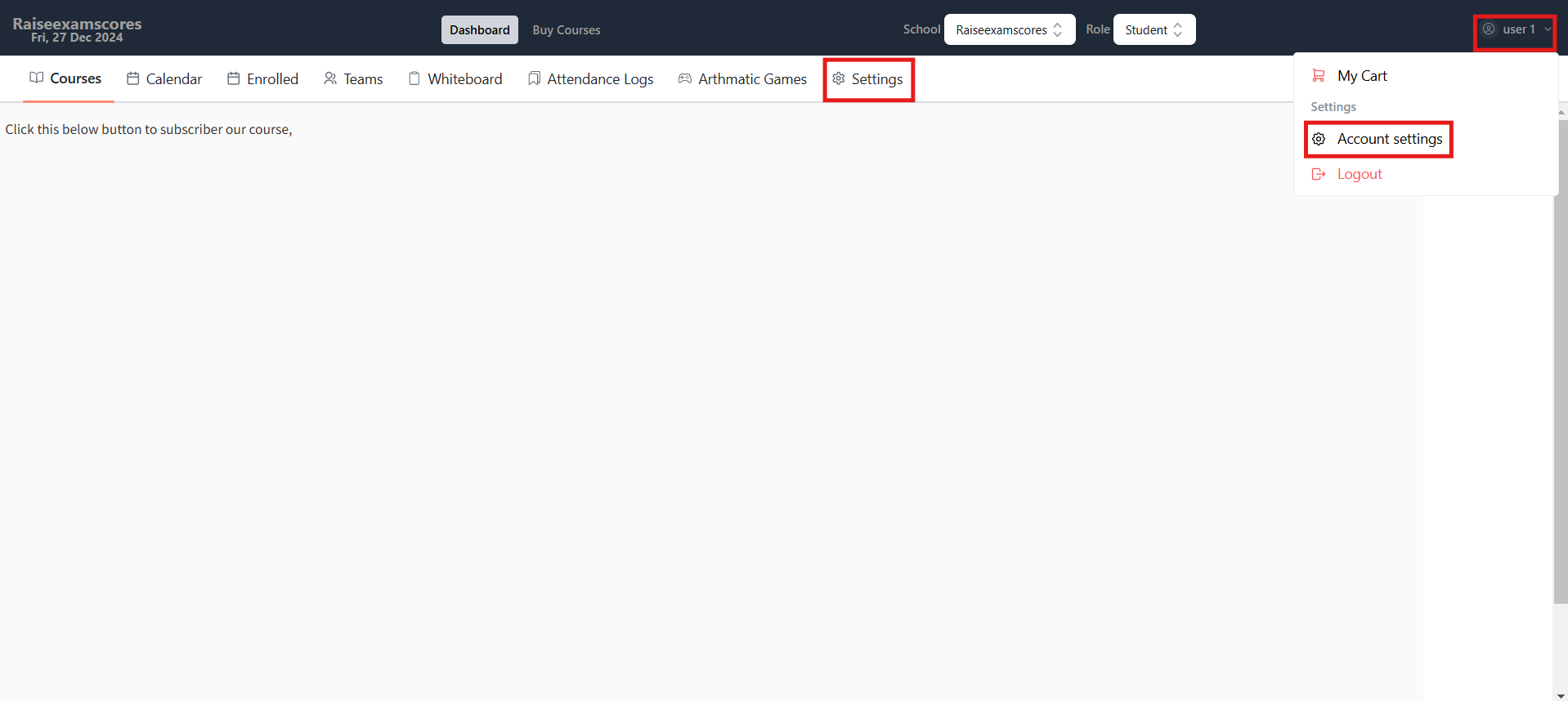
3. Now go to your account settings by either going to your profile or by clicking the
Settings
option.
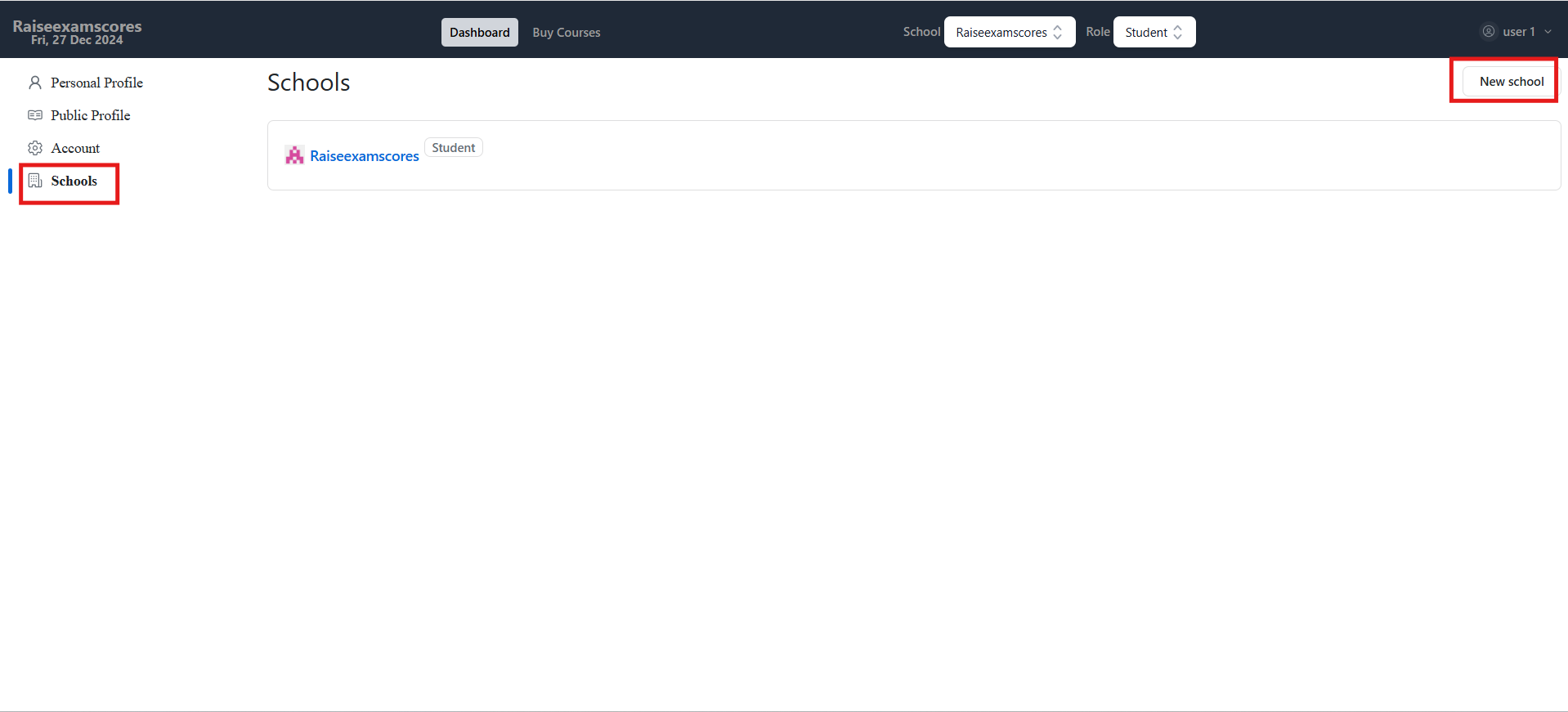
4. Go to the
Schools
option and click
New School
.
5. Fill up the details and hit
Create
, and then you will be able to see your school in the school section.
Steps to Add Users to Your School
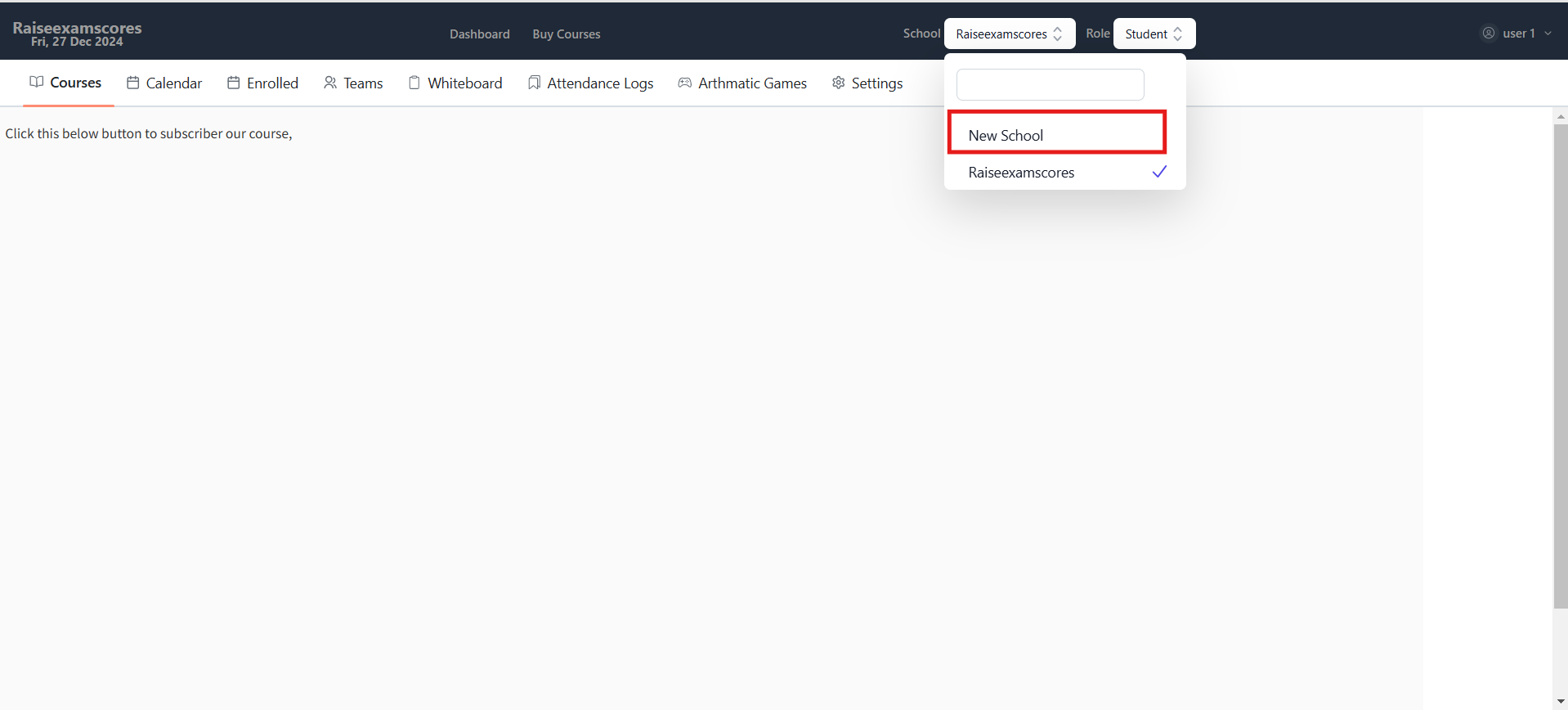
1. Select your school in the
School Dropdown
.
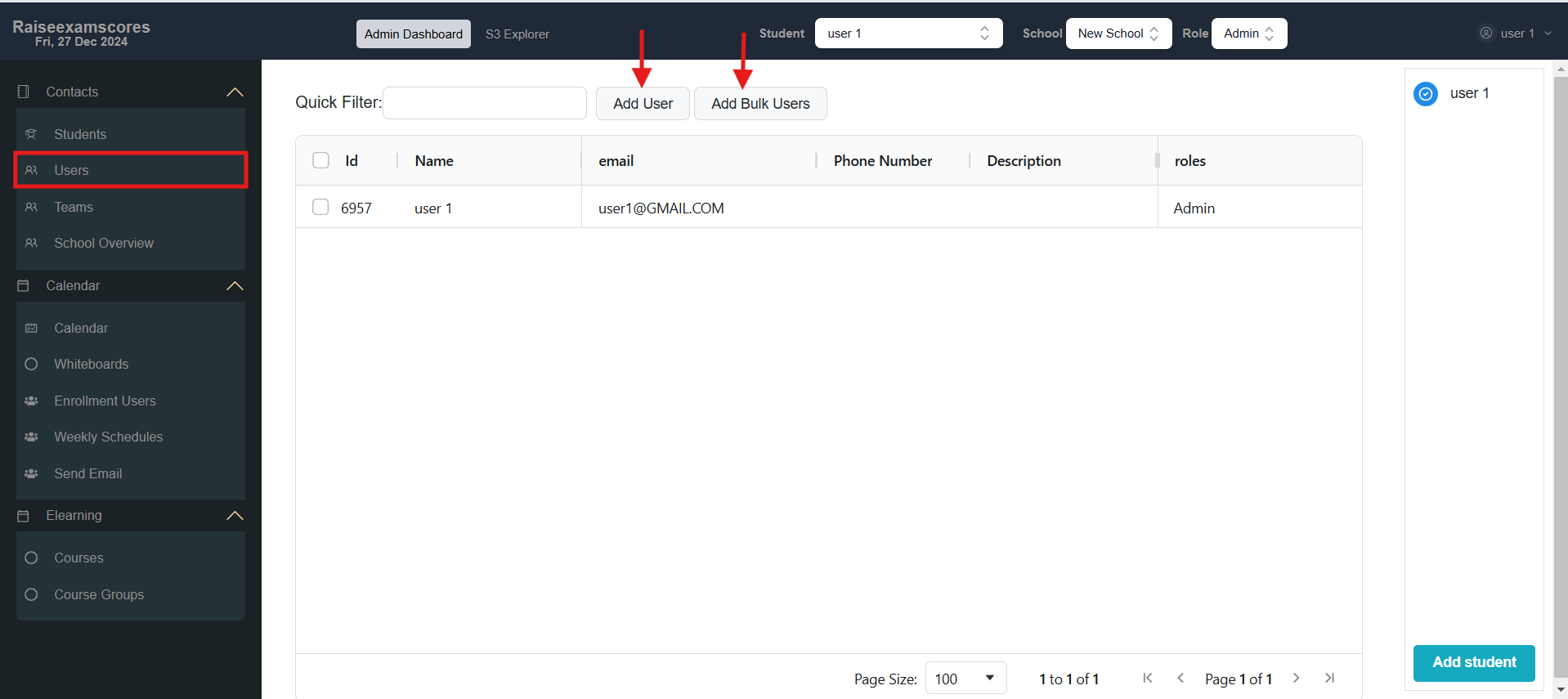
2. Go to the
Users
tab and use
Add User
or
Add Bulk Users
.
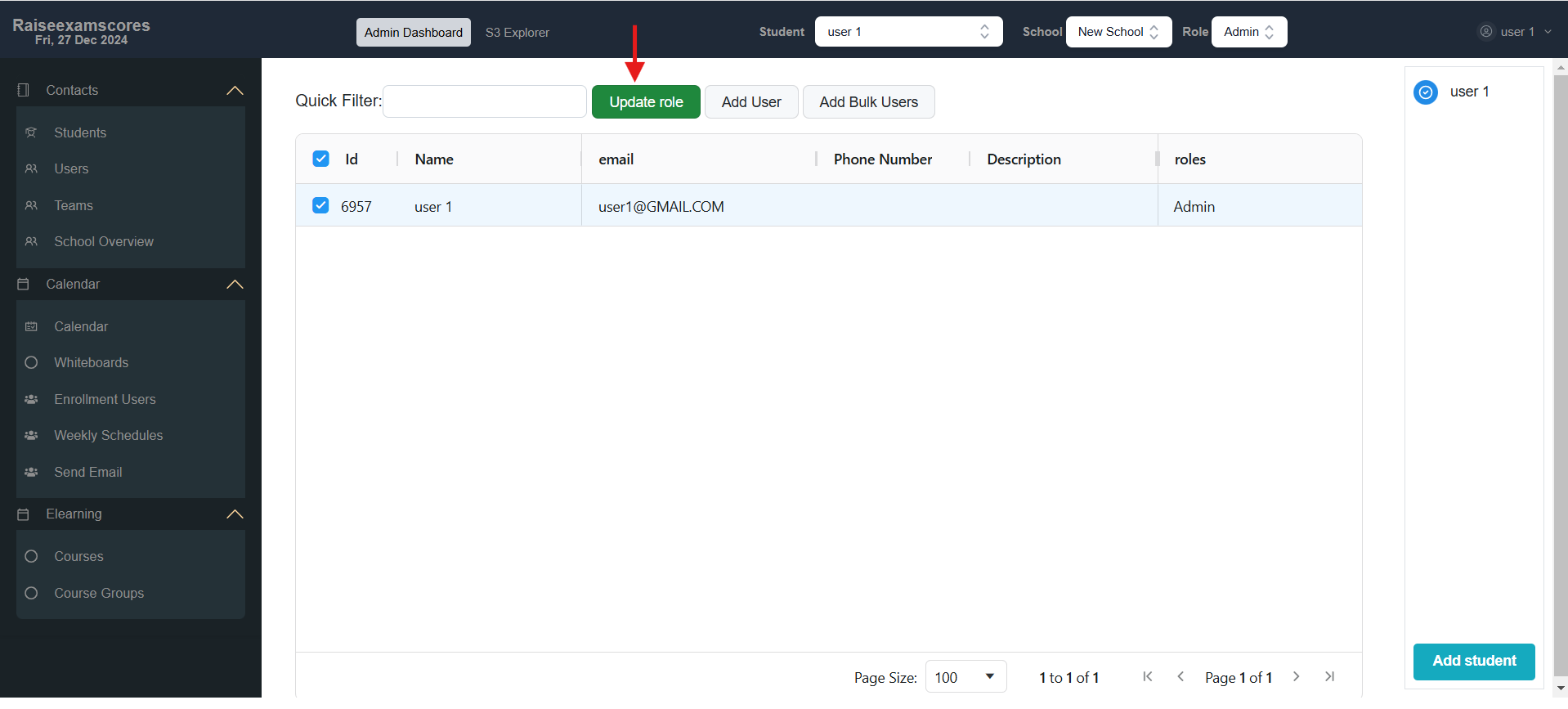
3. Now you can select users and click
Update Role
and choose the role you want to update for the user.
How to Add or Enroll in a Course
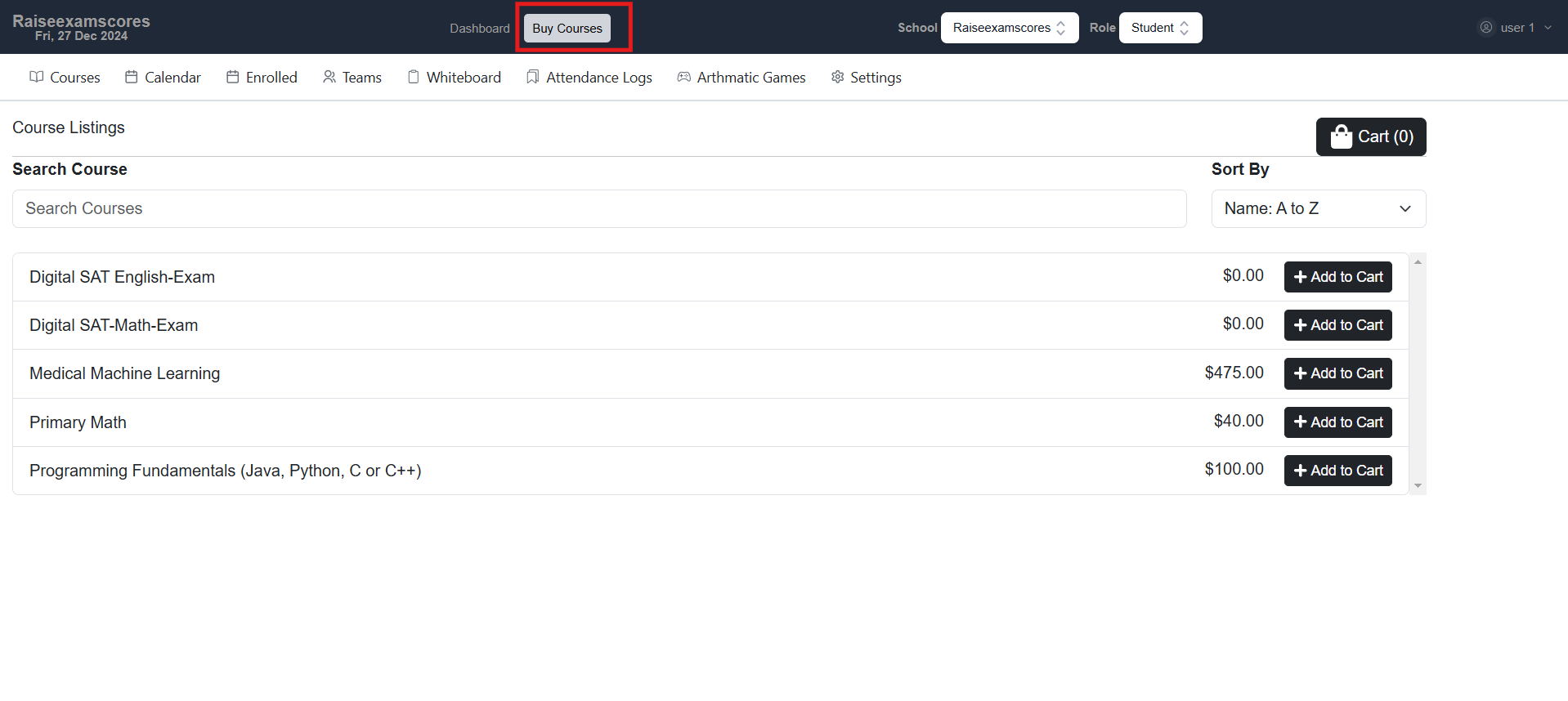
1. Go to the
Buy Course
tab, where you can purchase your desired course. .
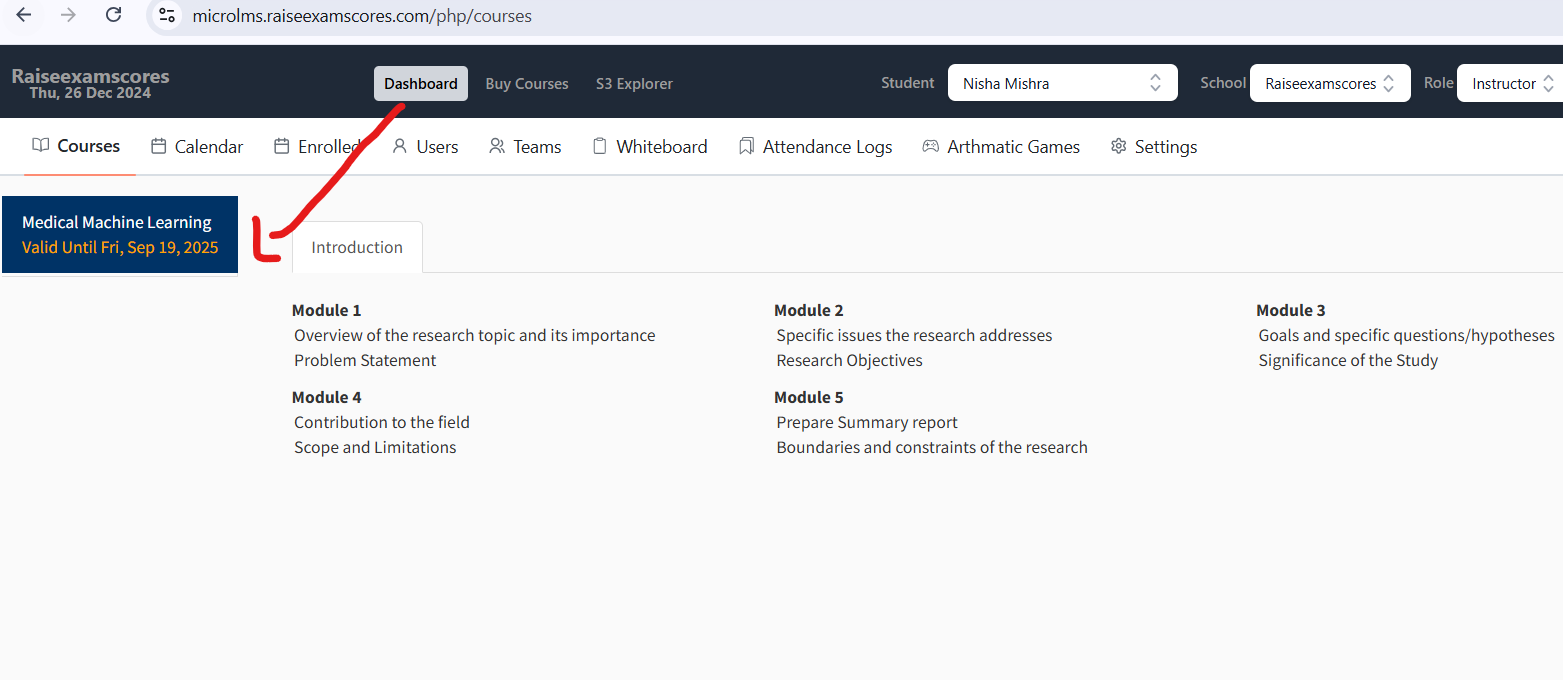
2. After completing the purchase, the course will appear on your dashboard.
3. Once it appears, you can start your class.